Delta Executor Key – How to Get a Free Delta Key (2026)
The Delta Executor key is an access code required to unlock the free version of Delta Executor. You can get the key by completing a short verification process and entering the generated code into the application.
 VerifyActivate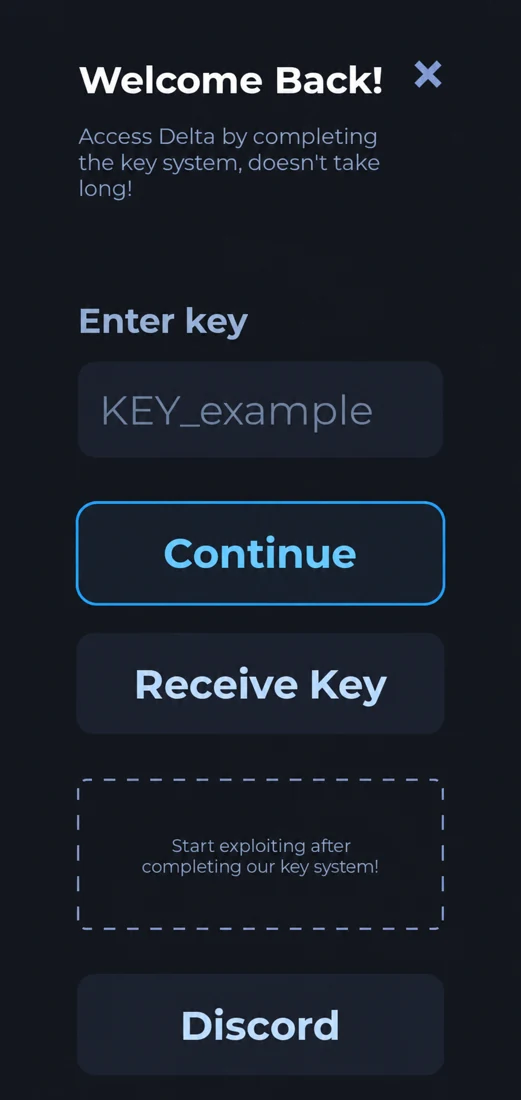
What Is the Delta Executor Key?
The Delta Executor key is a temporary verification code used to access the executor's features. When you open Delta without an active key, the application asks you to complete the key system before you can continue.
The process usually involves visiting a verification page, completing the required checkpoints, and copying the generated key.
Once your key is accepted, you can access Delta's script editor, script hub, and other available features.
Delta uses this system to provide free access while generating revenue through verification and advertising services.
The verification service and key duration may change between versions. Always use the link provided inside Delta rather than relying on old key-generation URLs.

If you're using Delta for the first time, the key system may seem a little confusing. You might be redirected through different verification pages before receiving your code.
This guide explains how to request an access key, activate it on your device, and fix common problems if your key isn't working.
Inside the Delta Key System
How to Get the Delta Executor Key
You can generate your Delta key directly through the application. Follow these steps to complete the process.
Step 1: Open Delta Executor
Launch Delta Executor on your Android or iOS device.
If you don't have an active key, you'll see a verification screen asking you to enter one.
Step 2: Select Receive Key
Tap the Receive Key or Get Key button, depending on your Delta version.
The application will provide a verification link. In some versions, the link is copied to your clipboard automatically.
Step 3: Open the Key Link
Open your browser and visit the link provided by Delta.
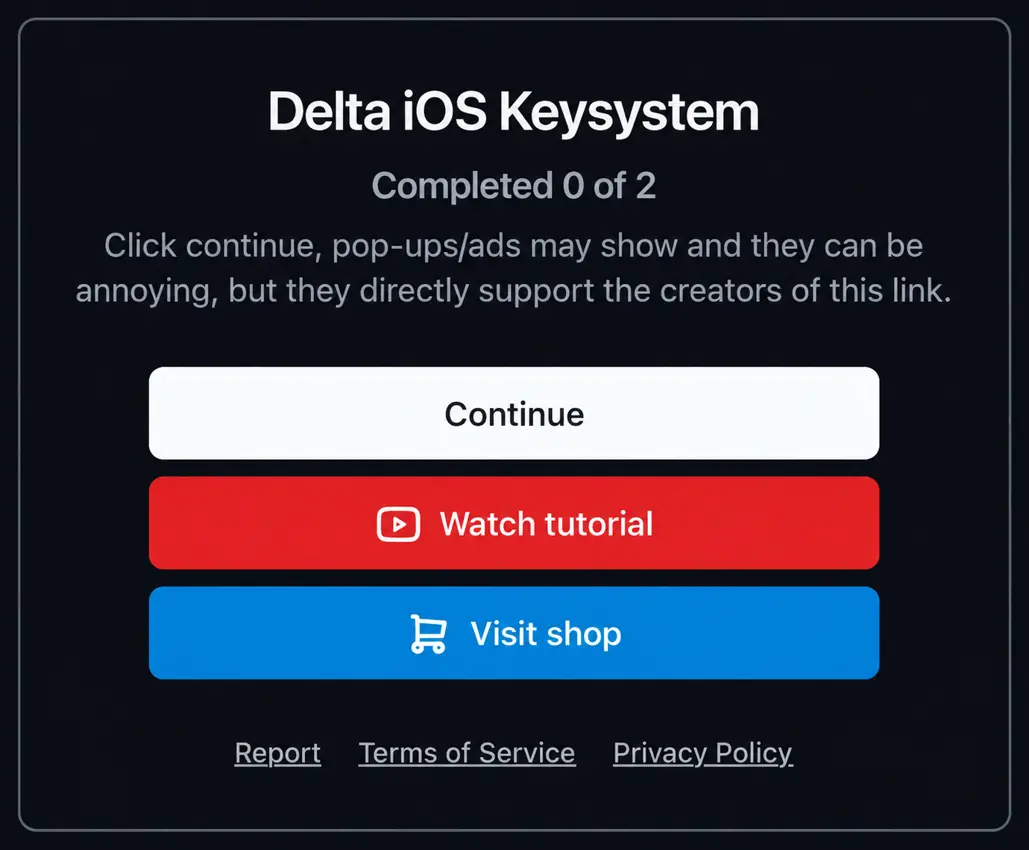
You'll be redirected to a verification page where you need to complete a few checkpoints before receiving your key.
Step 4: Complete the Verification Steps
Follow the instructions displayed on the page.
You may need to wait for a timer, visit a verification page, or select Continue to move to the next checkpoint.
The exact steps depend on the verification service being used.
Avoid downloading unknown files or installing browser extensions advertised through pop-ups.
Step 5: Generate and Copy Your Key
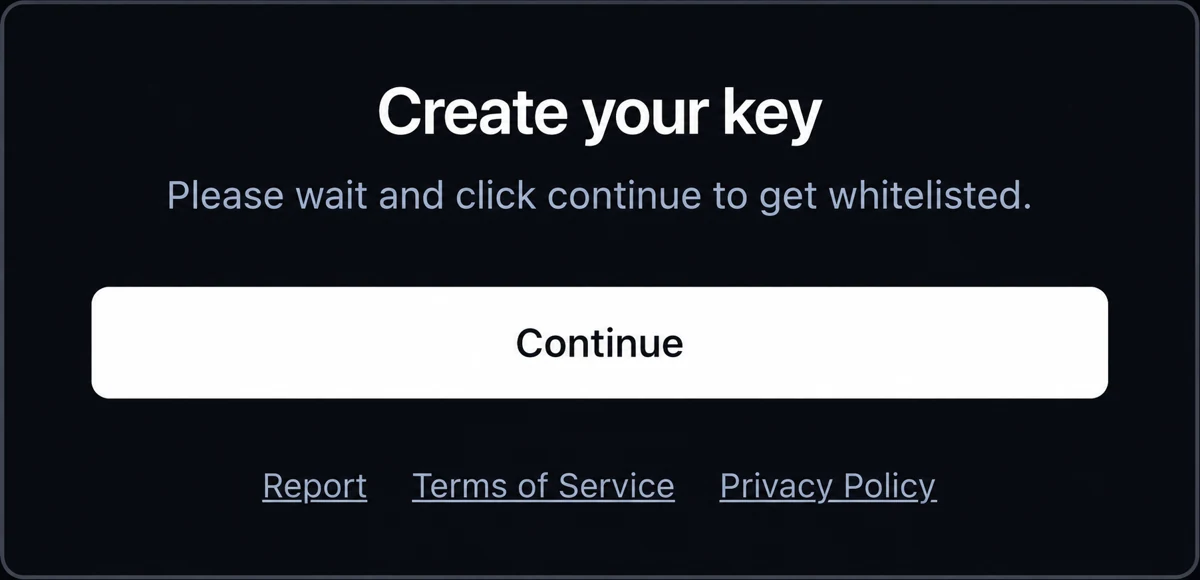
Once all required checkpoints are completed, you'll reach the key-generation page.
Select the available option to generate or reveal your key, then copy the complete code.
Make sure you don't miss any characters.
Step 6: Activate the Key in Delta
Return to Delta Executor and paste your key into the verification field.
Tap Continue or the available confirmation button.
If the key is valid, Delta will unlock its available features.
How Does the Delta Executor Key System Work?
Delta uses an external verification process to generate temporary access keys.
When you request a key, the application directs you to a checkpoint service. After completing the required steps, you receive a code that can be verified by Delta.
Different versions may use different verification services.
| Verification Service | How It Works |
|---|---|
| Linkvertise | Complete the displayed access steps to reach the key page |
| Loot Link | Follow the required tasks and unlock the destination |
| Work.ink | Complete the checkpoint process to reach the final link |
You don't need to choose a service manually. Delta generally provides the appropriate verification link.
How to Get the Delta Executor Key on Android and iOS
The basic key-generation process is similar on both platforms.

Android Key Activation
On Android, open Delta Executor and select Receive Key from the verification screen.
Follow the link in your browser, complete the required checkpoints, and copy the generated code.
Return to Delta and enter your key to activate access.

iOS Key Activation
On iPhone or iPad, open the installed Delta application and find the key verification option.
Use Safari or another compatible browser to open the provided link and complete the verification process.
Once you receive the key, return to Delta and paste it into the required field.
The layout and verification steps may vary depending on your installed version.
How Long Does an Access Key Last?
A Delta key commonly remains valid for around 24 hours. Once it expires, you'll need to generate another one through the same verification process.
Key validity may vary depending on the version and verification system.
If Delta asks you to enter a new key, it usually means your previous key has expired or is no longer accepted.
You don't normally need to reinstall the entire application just because your key has expired.
Delta Executor Key Not Working? Common Fixes
Sometimes a generated key may not work as expected. Here are the most common issues and how to resolve them.
1. Invalid Delta Key
If Delta displays an invalid key message, check whether you copied the complete code.
Remove any extra spaces and try pasting it again.
If the error continues, generate a fresh key using the link inside Delta.
2. Delta Key Expired
Delta keys are temporary, so an expired key will no longer unlock the executor.
Select Receive Key and complete the verification process again to get a new code.
3. Key Link Not Opening
If the verification link doesn't load, check your internet connection and try opening it in another browser.
You can also request a new link from Delta if the previous one is no longer working.
4. Verification Page Stuck
Some verification services use timers or multiple checkpoints.
Make sure you've completed all the required steps and wait for the page to finish loading.
If the page repeatedly redirects or asks you to install suspicious software, stop and return to the link provided by Delta.
5. Key Not Working After Changing Devices
Delta keys may be linked to a particular device or verification session.
If you're using Delta on a different device, generate a new key rather than reusing an old one.
6. Key Keeps Asking for Verification
If Delta repeatedly asks you to verify your key, the code may have expired or the application may be having a temporary verification issue.
Check your connection, restart Delta, and try generating a fresh key. For community help, visit the Delta Discord server.
Can You Use Delta Executor Without a Key?
The standard free version of Delta generally requires a valid key before you can access its execution features.
You may find websites advertising keyless Delta versions or permanent key bypasses. However, these are not necessarily official releases and may contain modified or unsafe application files.
It's better to use the key system provided inside the application instead of relying on unverified bypass tools.
Is the Free Key Process Safe?
The Delta key itself is available for free through the application's verification system. You don't need to purchase a key from an unknown website.
However, some verification pages contain advertisements and third-party links. Avoid sharing your Roblox password, downloading suspicious files, or entering payment information on unfamiliar pages.
Also, remember that activating a Delta key doesn't make the executor officially supported by Roblox. Using third-party executors may violate Roblox's rules and put your account at risk.
Frequently Asked Questions
How do I get an access key?
Open Delta Executor, select Receive Key, and follow the provided verification link. Complete the required checkpoints, copy your generated key, and paste it into Delta.
Is the verification code free?
Yes. Delta offers free keys through its verification system. You don't need to buy a key from a third-party seller.
How long does a Delta key last?
Delta keys commonly last around 24 hours. After expiration, you need to generate another key through the application.
Why is my access code not working?
Your key may have expired, been copied incorrectly, or become invalid for your current session. Try generating a new key and entering it again.
Can I get a permanent access key?
There is no verified official permanent key available through the standard free key system. Be careful with websites advertising lifetime Delta keys.
Can I use the same Delta key on multiple devices?
Keys may be linked to a device or verification session, so the same code may not work on another device. Generate a separate key when needed.
Does Delta Executor use Linkvertise?
Some Delta versions use Linkvertise, while others may redirect through Loot Link or Work.ink. The verification service can change between releases.
Can I activate a key on iOS?
Yes. Supported iOS versions of Delta use a similar key verification process. You can follow the provided link in your browser and enter the generated code into the application.
Do I need a new key every day?
If your key remains valid for 24 hours, you'll generally need a new one after that period. The actual duration depends on the current key system.
Final Words
The key system allows you to unlock the free version of Delta by completing a verification process.
To get your key, open Delta, select Receive Key, complete the checkpoints, and enter the generated code into the application.
If your key expires or stops working, you can usually resolve the issue by requesting a new one. Always use the verification link provided by Delta and avoid unverified key generators or bypass websites.