Delta Executor Discord – Official Server Link & Community Guide (2026)
The Delta Executor Discord server is a community where you can get the latest Delta updates, ask questions, and connect with other Roblox players. It's also a useful place to find out about new releases, known bugs, and solutions to common problems.
 Join Delta Dynamics
Official Discord Invite: https://discord.gg/deltax
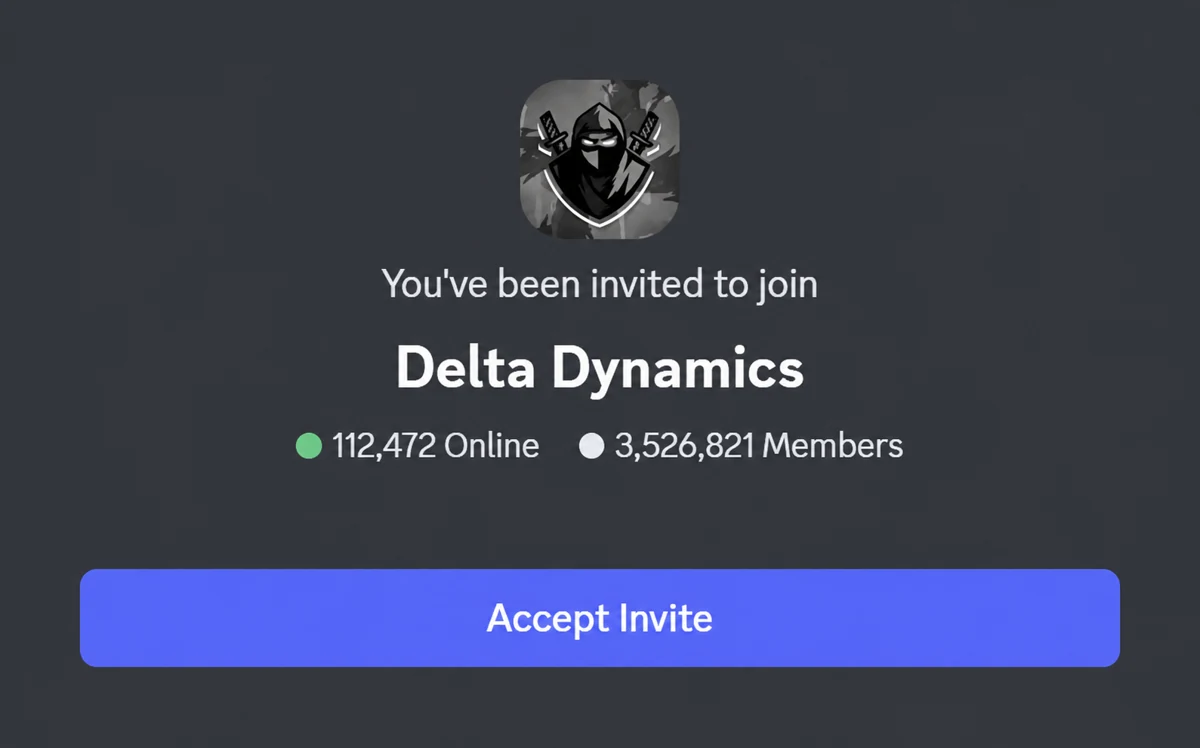
What Is Delta Executor Discord?
Delta Dynamics is the community server associated with Delta Executor, a Roblox script execution tool available for supported mobile devices.
The server is known as Delta Dynamics and brings together Delta users, community members, moderators, and support resources in one place.
You can follow announcements about new versions, discuss technical issues, and learn more about Delta's features. It's especially helpful when a Roblox update affects the executor and you're unsure whether the problem is with your device or the application.
The server is free to join, and you only need a Discord account to get started.

Whether you're having trouble with the Delta key system or want to know when the next update is available, the Discord server can help you stay informed.
In this guide, you'll find the official Delta Discord link, how to join the server, and what you can expect from the community.
Delta Executor Discord Server Information
Here's a quick overview of the Delta Discord community.
| Details | Information |
|---|---|
| Server Name | Delta Dynamics |
| Community | Delta Executor |
| Official Invite | discord.gg/deltax |
| Platform | Discord |
| Membership | Free |
| Purpose | Updates, support, and community discussions |
| Supported Users | Android and iOS users |
| Account Required | Discord account |
Inside Delta Dynamics
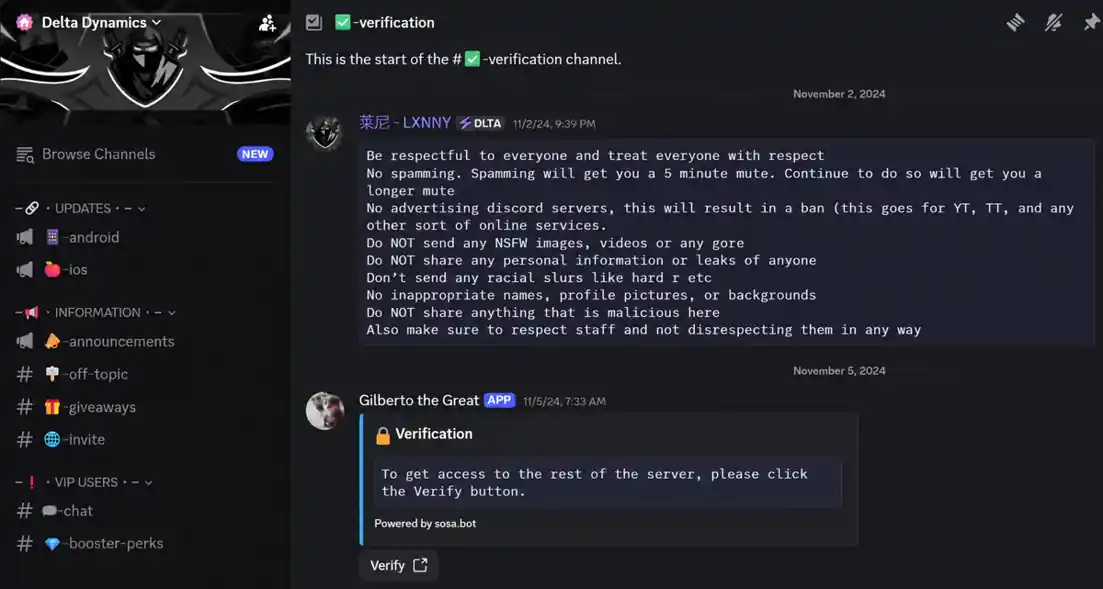
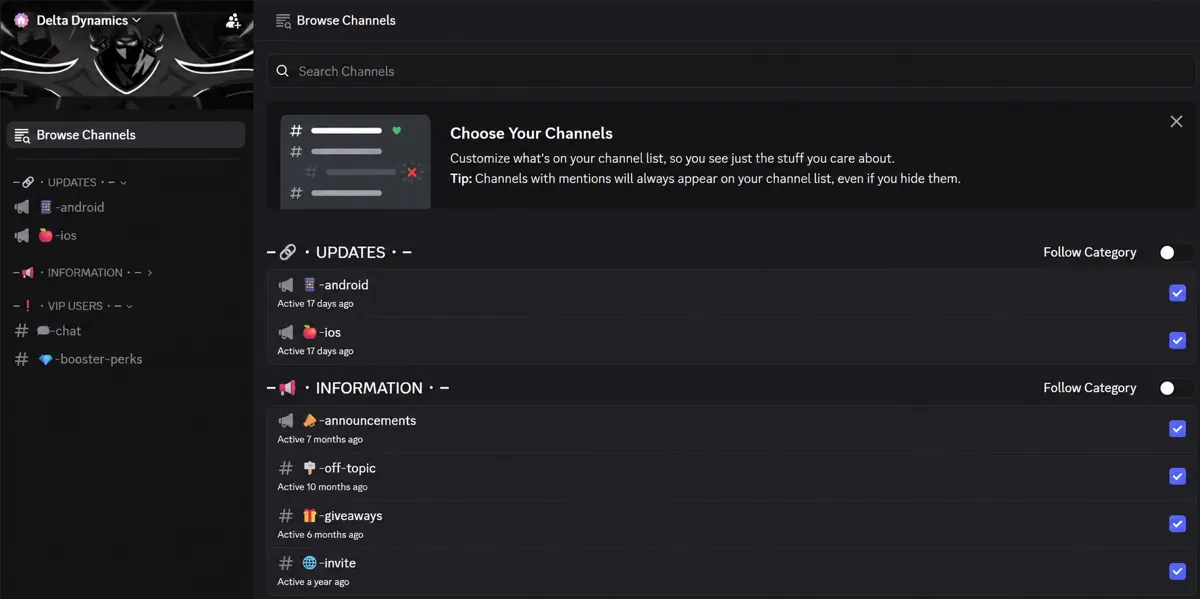
How to Join the Delta Executor Discord Server
Joining the Delta Discord server is simple. You can use Discord on your phone, computer, or directly through your browser.
Follow these steps:
- Open the official invite link: https://discord.gg/deltax
- Sign in to your Discord account or create one if needed.
- Click Accept Invite to join the server.
- Complete any verification steps required by the server.
- Read the server rules before participating.
- Explore the available channels for updates, support, and discussions.
Once you've joined, you can check announcements and communicate with other members.
If you're using Discord on your phone, the invite may open directly in the Discord app.
Why Join the Delta Executor Discord Server?
The Discord community offers several benefits, especially if you use Delta regularly.
1. Latest Delta Executor Updates
Delta receives updates to address bugs, add features, and maintain compatibility with Roblox.
Through the Discord server, you can follow announcements about new releases and find out when an updated version becomes available.
This can save you time if Delta stops working after a Roblox update.
2. Community Support
Having trouble installing Delta or getting a script to run? The Discord community is a place where you can discuss these issues with other users.
You may find solutions to installation errors, crashes, key verification problems, and compatibility issues.
For better assistance, explain what problem you're experiencing and which device you're using.

3. Script Discussions and Sharing
Discord members may discuss Roblox scripts, their compatibility, and how different functions work.
You can also learn from other users' experiences with the Delta script editor and script hub.
However, avoid running scripts from unknown sources, as they may contain unsafe commands.
4. Bug Reports and Known Issues
Sometimes Delta may stop working correctly because of a new Roblox update or an application bug.
The Discord server can help you check whether other users are facing the same issue.
If the problem is widespread, you can follow announcements instead of repeatedly reinstalling the application.
5. Connect With Other Delta Users
Besides technical support, Discord gives you a place to interact with other Roblox players who use Delta.
You can ask questions, take part in community discussions, and share your experience with different features.
What Can You Find Inside the Delta Discord Server?
The server may contain different channels for announcements, support, scripts, and general discussions.
| Channel Type | Purpose |
|---|---|
| Announcements | Updates and important news |
| Support | Help with installation and technical problems |
| Bug Reports | Reporting errors and compatibility issues |
| Scripts | Discussions about supported scripts |
| General Chat | Community conversations |
| Rules | Server guidelines and important information |
Channel names and availability may change as the server is updated.
How to Get Delta Executor Support on Discord
If you're experiencing a problem with Delta, Discord can be a convenient place to look for help.
Before posting, check the announcements and any existing support discussions. Someone may have already reported the same issue.
When asking for help, try to include:
- Your device and operating system.
- The Delta version you're using.
- A short description of the problem.
- Any error message displayed.
- The troubleshooting steps you've already tried.
For example, if Delta keeps crashing on your iPhone, mention your iOS version and whether the issue started after an update.
This makes it easier for other members to understand your problem.
How to Identify the Official Delta Executor Discord Server
There are several Discord communities using the Delta Executor name, but not all of them are affiliated with the developers.
To avoid joining an impersonation server, check the following:
- Use the Discord invite linked from Delta's developer website.
- Confirm that the invite opens the expected server.
- Check the announcements and server information.
- Be cautious of users claiming to be developers or moderators.
- Never share your Roblox password or authentication details.
The official Delta website currently links to the Delta Dynamics server through discord.gg/deltax.
Avoid downloading unknown APK, IPA, or script files sent through private messages.
Delta Executor Discord Link Not Working?
Sometimes a Discord invite may fail to open or display an error. Here are a few things you can try.
Invalid or Expired Invite
If Discord says the invite is invalid, check whether you've entered the link correctly.
You can also visit the Delta developer website to find its current Discord invitation.
Unable to Join the Server
Make sure you're signed in to Discord and haven't reached the maximum number of servers allowed for your account.
If you've been banned from the server, the invitation may not allow you to rejoin.
Discord Verification Not Working
Some servers require email, phone, or other account verification before you can participate.
Check the verification instructions and complete the requirements shown by Discord.
Channels Are Not Visible
If you can't see the available channels, you may need to accept the server rules or finish the onboarding process.
Check the welcome and verification sections for further instructions.
Is the Discord Community Safe?
Joining the legitimate Discord community does not require you to install Delta Executor or share your Roblox account credentials.
However, you should still be careful when interacting with unknown members.
Avoid suspicious links, unofficial downloads, and private messages offering free keys or special executor versions.
You should also remember that using a Roblox script executor can violate Roblox's rules and may result in account restrictions.
Frequently Asked Questions
What is the official Discord invite?
The official Delta Executor website currently links to https://discord.gg/deltax, which opens the Delta Dynamics Discord server.
Is the community free to join?
Yes. You can join the Discord community for free using a Discord account. You don't need Discord Nitro.
Can I get Delta Executor updates from Discord?
Yes. The community provides information about new releases, compatibility changes, and known issues.
Can I get a Delta Executor key from Discord?
You should generate your Delta key through the verification process provided inside the application. Avoid unofficial key links shared through private messages.
Why can't I join the Delta Discord server?
You may be using an expired invitation, have incomplete account verification, or be restricted from joining the server. Check the current invite and your Discord account settings.
Is Delta Dynamics the linked community server?
Yes. Delta Dynamics is the name of the Discord server linked from the Delta Executor developer website.
Can I use the Discord community on mobile?
Yes. Discord is available on Android and iOS, and you can also access it through a compatible web browser.
Does Delta Discord provide technical support?
The community offers support resources and discussions for Delta users. However, response times and the availability of staff assistance may vary.
Final Words
The Delta Discord server is a useful place to follow updates, discuss technical issues, and connect with other Delta users.
You can join the Delta Dynamics community through the official invite link and explore its available channels for announcements and support.
Just make sure you're joining the correct server and avoid sharing personal information or downloading unverified files from other members.
Join Delta Dynamics